Z Image Turbo vs Base: Which Model Should You Choose in 2026?
Last Updated: 2026-01-22 18:08:28
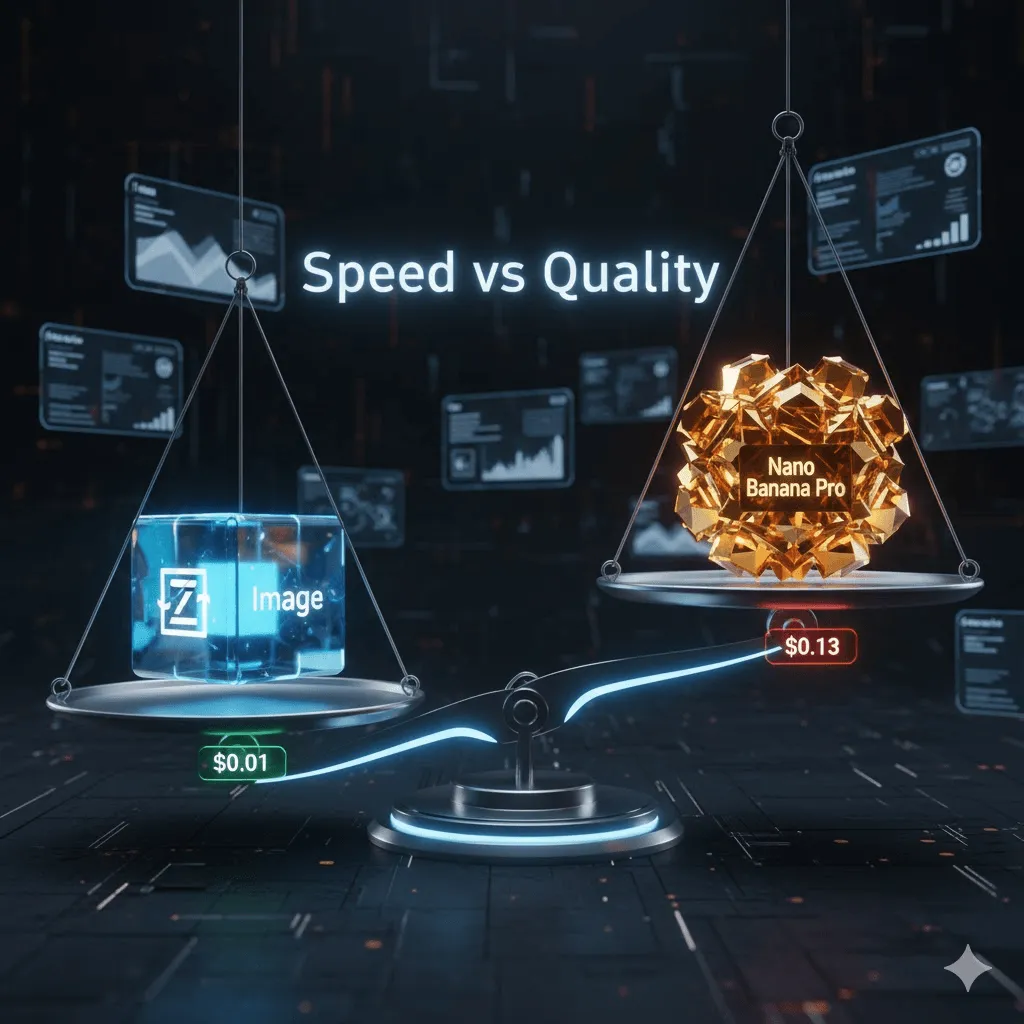
The Z Image family from Alibaba's Tongyi MAI lab dropped in late 2025 and quickly became one of the most discussed open source image generation models. But here's the thing everyone's asking: should you use the publicly available Turbo model, or wait for the Base variant that's been "coming soon" for months?
I've spent the past few weeks testing Z Image Turbo, digging through technical documentation, and talking to developers who've deployed it in production. This guide cuts through the marketing speak to help you make an informed decision based on your actual needs.
The Short Answer: Z Image Turbo delivers 8 step generation in under a second with quality that rivals much larger models. Base will offer maximum fidelity and better fine tuning potential but it's still unreleased. For most production use cases, Turbo is the practical choice right now.
What Makes Z Image Different?
Before comparing Turbo and Base, let's look at what sets the Z Image architecture apart from models like FLUX and Stable Diffusion.
The Single Stream Architecture
Most diffusion models use dual stream designs one stream for text, another for images. Z Image takes a different approach with its S3 DiT (Scalable Single Stream Diffusion Transformer) architecture. Everything text tokens, visual semantic information, and image VAE tokens gets concatenated into one unified sequence.
Why does this matter? Two reasons:
Parameter efficiency. Z Image achieves competitive quality with just 6 billion parameters. For comparison, FLUX.2 Dev uses 32 billion parameters. That's not just a technical detail it means Z Image runs on consumer hardware that most people actually own.
Better text rendering. The unified processing approach handles bilingual text (English and Chinese) more reliably than models where text and image generation are separated. If you've ever tried to get SDXL to render readable text in an image, you know why this matters.
The model uses the Qwen3 4B text encoder (about 7GB) and shares the same VAE as FLUX. The core model itself is just over 12GB in BF16 format, which means it fits comfortably in 16GB VRAM.
Z Image Turbo: The Production Model
What "Turbo" Actually Means
The Turbo variant isn't just a faster version of Base it's a fundamentally different model created through knowledge distillation. Think of it like this: if Base is the experienced teacher who takes their time to explain everything, Turbo is the quick thinking student who learned to get to the right answer faster.
Technically, Turbo uses something called Decoupled DMD (Distribution Matching Distillation). The breakthrough here isn't just compression it's teaching the model to replicate the decision making process of a larger model with only 8 inference steps instead of 50+.
Recent updates added DMDR (DMD + Reinforcement Learning), which improved semantic alignment and added richer high frequency details. These aren't just buzzwords you can see the difference in skin textures and fine details compared to earlier versions.
Real World Performance
Let's talk numbers. DigitalOcean ran a comprehensive test generating 100 images at 1024×1024 resolution across multiple models. Z Image Turbo came out nearly twice as fast as the second place model (Ovis Image). On enterprise H800 GPUs, you're looking at genuinely sub second generation times.
But speed means nothing if quality suffers. On the Artificial Analysis leaderboard, Z Image Turbo ranks 8th overall and holds the #1 spot among open source models. It consistently matches or slightly trails FLUX.2 Dev in blind comparisons, despite being a fraction of the size.
The model particularly excels at:
- Photorealistic generation with natural lighting and realistic textures
- Text rendering in both English and Chinese (a weakness for most models)
- Prompt adherence that rivals models 5x its size
That said, it's not perfect. One developer on Medium noted: "When Z Image Turbo first appeared I tried a few initial generations and got disappointing results, to the extent I almost discarded it. I am glad I didn't." The key was switching samplers and optimizing workflows something we'll cover later.
Where Turbo Makes Sense
Turbo shines when inference latency directly impacts user experience:
Interactive applications. If users are waiting for an image to generate while staring at their screen, sub second generation matters. This includes design tools, chatbot interfaces, and any application where "loading..." screens hurt conversion.
High volume batch jobs. Need to generate 10,000 product images? At scale, Turbo's speed advantage translates directly to cost savings. Companies report 2~3x lower operational costs compared to larger models.
Consumer hardware deployment. The 16GB VRAM requirement means Turbo runs on RTX 3060, 4060, and 4090 GPUs that many developers and small studios already own. No need for expensive H100 rentals just to test your workflow.
Edge computing scenarios. Mobile apps, local deployments, and situations where you can't rely on cloud APIs benefit from Turbo's efficiency.
Z Image Base: The Foundation Model
What We Know (and Don't Know)
Here's the frustrating part: Base was announced alongside Turbo but remains unreleased as of January 2026. The official line is "coming soon" for "community driven fine tuning and custom development."
What we do know from the documentation:
Base shares the same 6B parameter S3 DiT architecture but operates with different priorities. While Turbo optimizes for speed through distillation, Base focuses on maximum fidelity. This means higher inference step counts and longer generation times, but theoretically better quality and more detail.
The key difference isn't just speed vs. quality it's about what happens when you want to customize the model.
The Fine Tuning Angle
Model distillation involves trade offs. When knowledge transfers from teacher to student, some nuances inevitably get lost. For most users generating marketing images or social media content, this doesn't matter. But if you're planning serious fine tuning work, those lost nuances can compound.
Base offers a cleaner foundation for:
LoRA training. The undistilled model should provide more stable gradients during adapter training. Practitioners training character LoRAs or style adapters will likely see better convergence and consistency.
Full model fine tuning. If you're building a specialized variant with proprietary training data, starting from Base gives you the complete parameter space without distillation artifacts.
Research applications. Academic work studying diffusion architectures benefits from the raw foundation model rather than an optimized derivative.
That said, here's something interesting: the Ostris AI Toolkit already supports Z Image Turbo for LoRA training, and community adapters are appearing daily. The relatively small 6B parameter size makes custom training far more practical than attempting the same with 32B models like FLUX.2 Dev.
So while Base will theoretically be better for fine tuning, Turbo is already good enough for most customization needs.
When Base Might Be Worth Waiting For
I can think of a few scenarios where waiting makes sense:
Maximum quality requirements. If you're doing fine art reproduction, medical imaging, or applications where every detail matters and inference time doesn't, Base's undistilled quality could be important.
Extensive customization plans. Building a commercial product with significant custom training might benefit from Base's cleaner foundation if the timeline allows.
Research work. Studying model architectures or developing new distillation techniques requires access to the foundation model.
But here's the reality: if your project has a deadline before Q2 2026, waiting for Base is gambling with your timeline.
Making the Decision: A Practical Framework
Let me cut through the complexity with a straightforward decision framework.
Choose Z Image Turbo If:
✅ You need to ship something now. Production deadlines don't care about theoretical quality improvements from unreleased models.
✅ Speed is a priority. Real time generation, interactive tools, or high volume processing all benefit from Turbo's sub second inference.
✅ You're on consumer hardware. Running on RTX 3060/4090 class GPUs with 16GB VRAM means Turbo without expensive cloud rentals.
✅ Quality is "good enough." For 95% of commercial applications marketing materials, product images, social media content Turbo's quality exceeds what's needed.
✅ Cost matters. Operating expenses for Turbo run about 30~40% of what you'd pay for FLUX.2 Dev at scale.
Consider Waiting for Base If:
⏳ Fine tuning is central to your plan. Building specialized variants with extensive custom training might benefit from the undistilled foundation.
⏳ Quality absolutely cannot be compromised. Professional photography work, fine art reproduction, or applications where output fidelity is paramount.
⏳ You have timeline flexibility. No immediate production deadline and can afford to wait months for Base's release.
⏳ Research or experimental work. Studying model architectures or developing new techniques requires the foundation model.
The Practical Middle Ground
Here's what many developers are actually doing: deploy Turbo now, plan for Base later.
Use Turbo to:
- Get immediate production value
- Learn the model's quirks and optimize workflows
- Generate revenue while waiting for Base
Meanwhile, prepare for Base by:
- Curating training datasets for future LoRA work
- Building infrastructure that can swap models easily
- Using fal.ai's LoRA endpoint to train adapters on Turbo
This staged approach delivers immediate value while keeping options open for future optimization. When Base drops, you can evaluate whether the quality improvement justifies migration effort. For many applications, the answer will be "no" and that's fine.
How Z Image Compares to Alternatives
Understanding Z Image's position in the broader landscape helps contextualize your choice.
Z Image Turbo vs FLUX.2 Dev
FLUX.2 Dev is the elephant in the room a 32B parameter model with exceptional quality.
Where FLUX.2 wins:
- Slightly better prompt adherence in complex, multi element compositions
- Broader style range beyond photorealism
- Better handling of abstract concepts and artistic styles
Where Z Image Turbo wins:
- Nearly 2x faster generation speed
- 2~3x lower operational costs at scale
- Significantly better Chinese language support
- Runs on consumer hardware (FLUX.2 needs 24GB+ VRAM)
The bottom line: If absolute prompt adherence is non negotiable and budget isn't constrained, FLUX.2 edges ahead. For production deployments balancing quality, speed, and cost, Turbo offers better overall value.
One DigitalOcean tester put it well: "Z Image Turbo is the best choice of this latest generation of image models. If we are scaling an image generation pipeline, it is far and away the most cost effective model while performing nearly as well in terms of aesthetic quality and text generation."
Z Image Turbo vs Stable Diffusion XL
SDXL remains widely deployed, but it's showing its age against 2025's models.
Z Image Turbo advantages:
- Better prompt adherence across the board
- Actually reliable text rendering (SDXL still struggles here)
- Faster inference (8 steps vs 20~50 typical for SDXL)
- More modern architecture with better parameter efficiency
Both run comfortably on 16GB VRAM, so hardware requirements are similar. For teams currently on SDXL, Z Image Turbo represents a clear upgrade path without infrastructure overhaul.
Other 2025 Models Worth Mentioning
Qwen Image: Excellent multi style capability but slower than Turbo. Better choice if style diversity matters more than speed.
Ovis Image: Capable but showed "previous generation" characteristics in blind testing. Text rendering lags behind Turbo significantly.
LongCat Image: Strong overall performance but text handling still trails Z Image's bilingual capabilities.
Seedream 4.0: Focuses on bridging generation and editing workflows. Different use case but worth considering for image to image applications.
Z Image Turbo's combination of speed, photorealistic quality, and bilingual text rendering gives it a unique position. It's not the best at everything, but it excels at enough things to be the right choice for most production scenarios.
Deployment: Getting Z Image Running
Let's talk practical implementation. I'll cover hardware requirements, optimization strategies, and the various ways to actually deploy Z Image.
Hardware Requirements
Minimum specs for Turbo:
- 16GB VRAM (RTX 3060, 4060, 4090)
- 32GB system RAM recommended
- Ubuntu 22.04+ or Windows 11 with WSL2
Can you run it with less?
- 12GB VRAM: Yes, with float8 quantization and CPU offload enabled
- 8GB VRAM: Technically possible but painfully slow use cloud GPUs instead
I tested on an RTX 4090 and consistently hit sub second generation times. On an RTX 3060 (16GB), expect 2 3 seconds per image still far faster than FLUX or most SDXL workflows.
Deployment Options
Option 1: Managed APIs
If you want the easiest path, use a managed service:
- fal.ai: Fastest API with native LoRA support. ~$5 per 1,000 images.
- Replicate: PrunaAI optimized version with additional compression. Similar pricing.
- WaveSpeedAI: Most cost effective at $5 per 1,000 images. Good for high volume work.
The advantage: no infrastructure headaches, automatic scaling, and you pay per use.
Option 2: Self Hosted with ComfyUI
This is my preferred approach for serious work:
# Install ComfyUI (if you haven't already)
git clone https://github.com/comfyanonymous/ComfyUI
cd ComfyUI

# Update to latest version (Z Image support requires recent builds)
git pull

# Download models
cd models/text_encoders
wget https://huggingface.co/Comfy Org/z_image_turbo/blob/main/qwen_3_4b.safetensors

cd ../diffusion_models
wget https://huggingface.co/Tongyi MAI/Z Image Turbo/blob/main/z_image_turbo_bf16.safetensors

cd ../vae
wget https://huggingface.co/Comfy Org/z_image_turbo/blob/main/split_files/vae/ae.safetensors
ComfyUI gives you maximum flexibility for complex workflows but requires more setup time.
Option 3: Diffusers
For developers integrating into Python applications:
import torch
from diffusers import ZImagePipeline
# Load pipeline (use bfloat16 for best performance)
pipe = ZImagePipeline.from_pretrained(
"Tongyi MAI/Z Image Turbo",
torch_dtype=torch.bfloat16
)
pipe.to("cuda")
# Optional: enable Flash Attention for better efficiency
# pipe.transformer.set_attention_backend("flash")
# Generate image
prompt = "Portrait of a woman in traditional Chinese Hanfu, intricate embroidery, soft natural lighting"
image = pipe(
prompt=prompt,
height=1024,
width=1024,
num_inference_steps=9, # Results in 8 DiT forwards
guidance_scale=0.0, # Should be 0 for Turbo models
generator=torch.Generator("cuda").manual_seed(42)
).images[0]
image.save("output.png")
Note: You need diffusers installed from source the PyPI version doesn't include Z Image support yet.Optimization Strategies
Sampler selection matters. A lot.
After extensive testing, here's what works:
For base generation (fastest):
- Euler + beta scheduler at 5~8 steps
- Simple or bong_tangent schedulers work well
For better quality (slower):
- Multi step samplers like res_2s, dpmpp_2m_sde
- Expect 40% longer generation time but noticeably better detail
- SGM_uniform scheduler pairs well with these
Avoid unless you know what you're doing:
- Samplers that add excessive texture (requires shift parameter adjustment)
- Most of the exotic samplers simpler is usually better for Turbo
Quantization for limited VRAM:
If you're running on 12~16GB VRAM, quantization helps:
# Enable CPU offload
pipe.enable_model_cpu_offload()

# For very limited VRAM (12GB), also reduce precision
# This happens automatically with float8 quantization
Community member "nunchaku" created SVDQ quantized versions (r32, r128, r256 rankings). The r256 version offers the best quality to size ratio about 6GB with minimal quality loss. Note that these quantized versions produce non deterministic results even with fixed seeds.
Cost Analysis: What You'll Actually Pay
Let's talk real numbers. I calculated costs for generating 1,000 images at 1024×1024:
Managed APIs:
- Z Image Turbo via fal.ai: ~$5
- FLUX.2 Dev via fal.ai: ~$15
- SDXL via major providers: ~$8
Self Hosted (H100 cloud pricing):
- Z Image Turbo: ~$2
- FLUX.2 Dev: ~$8
- SDXL: ~$4
Total cost per 1,000 images:
- Z Image Turbo: $5~7
- FLUX.2 Dev: $15~23
- SDXL: $8~12
At scale (100,000 images/month), you're looking at $500~700 for Turbo vs $1,500~2,300 for FLUX.2. That difference funds an entire GPU server.
Advanced Topics: Getting the Most from Z Image
Prompt Engineering
Z Image responds well to detailed, structured prompts. Here's what works:
Good prompt structure:
[Main subject] + [Action/pose] + [Setting/background] + [Lighting] + [Style/mood] + [Technical details]

Example: "Middle aged businessman in navy suit, confident pose with arms crossed, modern glass office with city skyline view, soft directional lighting from window, professional corporate photography style, sharp focus, 8k detail"
What to avoid:- Overly abstract concepts without concrete details
- Style keywords alone ("make it artistic") without description
- Expecting artistic styles far outside photorealism
The integrated Prompt Enhancer helps with basic prompts, but detailed input produces better output.
Bilingual advantage:
For Chinese cultural content, prompt in Chinese:
中国传统汉服女子,精致刺绣,柔和自然光线,古典园林背景
The model handles Chinese prompts as naturally as English something most Western models struggle with.
LoRA Training Guide
Want to train custom adapters? Here's what actually works.
Dataset requirements:
- 70 80 high quality photos minimum for character LoRAs
- Consistent subject with varied angles, lighting, expressions
- 1024px+ resolution source material
- Diverse backgrounds and contexts
Training parameters that work:
- 4,000 steps for most character/style LoRAs
- Linear Rank 64 for optimal detail (faces, textures, clothing)
- Learning rate: 1e~4 to 5e~4 (start conservative)
- Batch size: 1~2 (depends on VRAM)
Training time:
- RTX 5090: 30~40 minutes
- RTX 4090: 60~90 minutes
- RTX 3090: 2~3 hours
Use the Ostris AI Toolkit it includes native Z Image Turbo support and handles most of the complexity.
Multi LoRA composition:
You can stack multiple LoRAs:
pipe.load_lora_weights("character.safetensors", adapter_name="char")
pipe.load_lora_weights("style.safetensors", adapter_name="style")
pipe.set_adapters(["char", "style"], adapter_weights=[0.8, 0.6])
Weight balancing takes experimentation. Start with 0.7~0.8 for the primary LoRA and adjust from there.
Troubleshooting Common Issues
Problem: Poor Image Quality Out of the Box
Solution: Switch samplers first.
The default ComfyUI workflow doesn't showcase Turbo's capabilities. Try:
- Euler + beta scheduler
- 8 steps
- CFG 1.0 (ignore negative prompts)
If that doesn't work, try multi step samplers (res_2s, dpmpp_2m_sde) with SGM_uniform scheduler.
Problem: Excessive Texture or Artifacts
Solution: Adjust the shift parameter.
In ComfyUI, use the ModelSamplingAuraFlow node:
- Default shift: 3
- If images look washed out: reduce to 1~2
- If too much texture: increase to 5~7
Higher values give composition more focus but can reduce detail. Balance is key.
Problem: VRAM Limitations
Solution hierarchy:
- pipe.enable_model_cpu_offload() (easiest)
- Float8 quantization (moderate impact)
- Reduce batch size if training
- Lower resolution to 768px or 512px
- Enable gradient checkpointing
- Rent cloud GPU (RunPod, VastAI)
Problem: Installation/Compatibility Issues
Make sure:
- ComfyUI is updated to latest version (Z Image requires recent builds)
- Diffusers installed from source: pip install git+https://github.com/huggingface/diffusers
- All model files in correct directories (text encoder, diffusion model, VAE)
- Using BF16 precision (FP16 causes issues on some systems)
FAQ: Questions Everyone Asks
Q: Is Z Image Base actually releasing, or is it vaporware?
The official GitHub repo lists it as "coming soon" with no date. Based on the pattern (Turbo for production validation, then Base for customization), Q1 Q2 2026 seems likely. But that's speculation, not confirmation.
Q: Can I use Z Image Turbo commercially?
Yes. Apache 2.0 license allows commercial use without restrictions. Same license as Stable Diffusion.
Q: How does Z Image handle NSFW content?
Less filtered than FLUX but more filtered than base Stable Diffusion. The model will refuse some prompts but generally allows more than most commercial offerings.
Q: Will Base be significantly better quality than Turbo?
Probably some improvement, but diminishing returns. The distillation process is sophisticated enough that quality gaps are smaller than you'd expect. For most applications, Turbo's quality already exceeds requirements.
Q: Can I run Z Image on Mac?
Technically yes via MPS backend, but performance is poor compared to CUDA. If you're on Apple Silicon, wait for native Metal optimization or use cloud APIs.
Q: What's the best upscaler for Z Image outputs?
Topaz Gigapixel works well. Alternative: ESRGAN models via ComfyUI. The 8x upscaling claim from Topaz Labs is real I've tested it on actual outputs.
What's Next for Z Image
Expected Releases
Z Image Base: Q1~Q2 2026 (unconfirmed)
- Foundation model for fine tuning
- Higher quality than Turbo
- Same 6B parameter architecture
Z Image Edit: Timeline unclear
- Image to image specialized variant
- Natural language editing instructions
- Inpainting and outpainting support
The Broader Trend
Z Image Turbo exemplifies where the industry is heading: efficient, specialized models over massive general purpose ones.
Model distillation is becoming standard practice because:
- Most applications don't need frontier reasoning capabilities
- Speed and cost matter more than marginal quality improvements
- Smaller models are easier to customize and deploy
- Efficiency unlocks edge computing and mobile applications
We're likely to see more "Turbo" variants from other model families distilled versions optimized for production while maintaining quality where it matters.
Final Recommendation
After testing Z Image Turbo extensively and analyzing the trade offs, here's my take:
For 90% of use cases, deploy Turbo now. The quality is excellent, the speed advantage is real, and waiting for Base means months without a solution. You can always migrate later if Base's improvements justify the effort.
Consider waiting for Base only if:
- Your timeline genuinely allows for 3 6 month delays
- You're planning extensive custom training from scratch
- Quality requirements are so stringent that even marginal improvements matter
The pragmatic approach: Use Turbo in production, experiment with LoRA training on the distilled model, and re evaluate when Base actually ships. This delivers immediate value while preserving future options.
Z Image Turbo represents a sweet spot in the current landscape fast enough for interactive applications, high enough quality for commercial use, and accessible enough to run on hardware people actually own. It's not perfect, but perfection isn't the goal. Shipping working solutions is.
Resources
Official:
- GitHub Repository
- Hugging Face Model Page
- Model Card & Documentation
Deployment:
- ComfyUI Workflows
- fal.ai API Documentation
- Diffusers Integration Guide
Community:
- r/StableDiffusion (active Z Image discussions)
- Civitai (LoRAs and community models)
- ComfyUI Discord (workflow help)
Training Resources:
- Ostris AI Toolkit (LoRA training)
- LoRA Training Guide