Midjourney vs ChatGPT Image Generation (2026): Practical Comparison for Real Use Cases
Last Updated: 2026-01-22 18:08:23
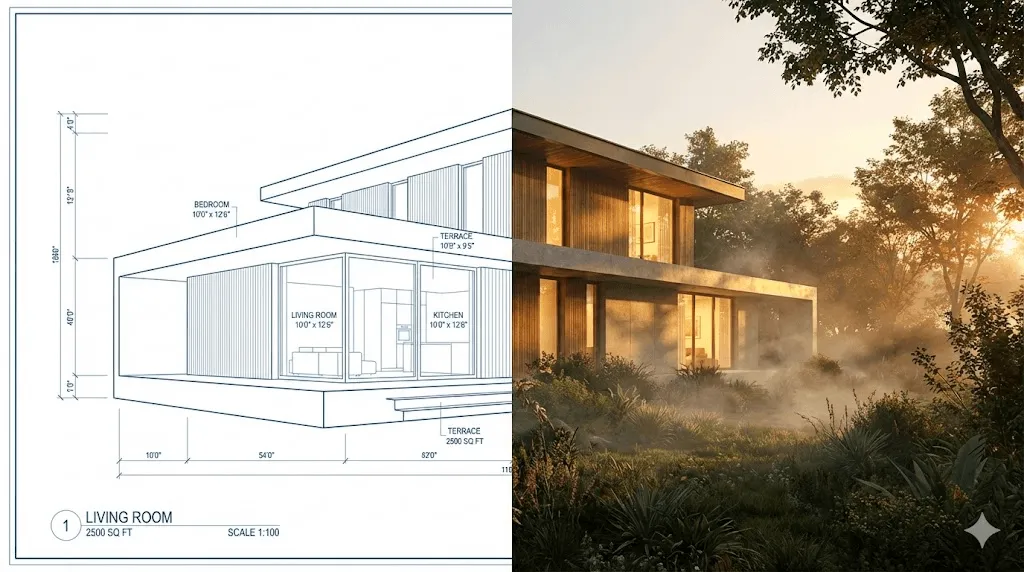
Most AI image comparisons ask which tool is “better.” That’s the wrong question.
After three months of using Midjourney V7 and ChatGPT’s GPT-4o image generator in real projects, I’ve found that the real decision is about accuracy versus aesthetics and knowing which one your task actually needs.
The short version: ChatGPT is better at following instructions precisely. Midjourney is better at making things look stunning. Neither is "the best", they're good at different things.
Quick Decision Guide: Midjourney vs ChatGPT for Image Generation
Before diving deep, here's a practical cheat sheet:
| If you need... | Use this | Why |
| Text in your image (logos, signs, labels) | ChatGPT | Midjourney still mangles text frequently |
| Product photos for e commerce | ChatGPT | Better at clean, accurate representation |
| Concept art or mood boards | Midjourney | Superior atmosphere and artistic rendering |
| Social media content (quick turnaround) | ChatGPT | Faster iteration through conversation |
| Portfolio quality illustrations | Midjourney | More control over artistic style |
| Technical diagrams with labels | ChatGPT | Handles text and spatial layout better |
| Fantasy/sci fi artwork | Midjourney | Lighting and texture are unmatched |
| Photo editing or manipulation | ChatGPT | Native image upload and editing Still not sure? Keep reading I'll walk through specific scenarios with examples. |
What Changed in Image Generation Tools from 2025 to 2026
If you tried these tools a year ago and gave up, things are different now.
ChatGPT's image generation moved from DALL·E 3 to native GPT-4o integration in March 2025. The difference is substantial. It now understands context much better, can render readable text (finally), and lets you edit images through conversation. You can literally say "move the coffee cup to the left" and it works.
Midjourney V7 launched with a personalization system that learns your aesthetic preferences. After rating 200 image pairs, it generates images tuned to your taste. The web interface is also much cleaner than the old Discord-only days, though Discord still works if you prefer it.
Midjourney vs ChatGPT: 8 Real World Image Generation Scenarios
I tested both tools with identical prompts across scenarios that actual users care about. No cherry picking, I'm showing you what happened on the first try.
Scenario 1: Product Photography (Accuracy vs Aesthetics)
The task: Create a product shot of a skincare bottle on a marble surface with soft natural lighting.
Prompt used: "A minimalist product photo of a frosted glass skincare bottle labeled 'CLARITY' on a white marble surface, soft diffused natural light from the left, clean white background, commercial photography style"
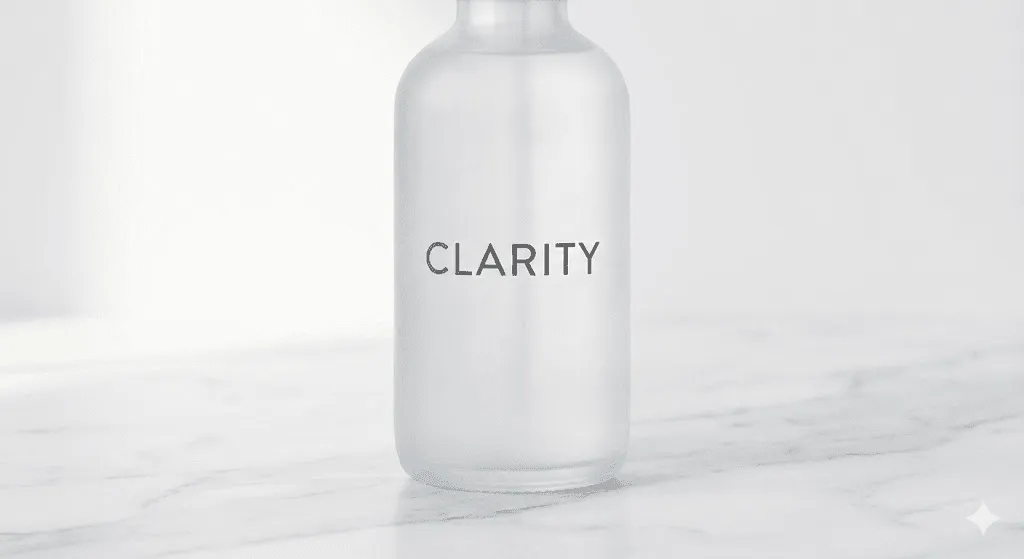
ChatGPT result: Clean, accurate, usable immediately. The text "CLARITY" rendered correctly on the bottle. The marble texture looked realistic. Lighting was even and professional. Could upload this to a Shopify store today.
Midjourney result: More visually interesting better light refraction through the glass, more sophisticated shadow play. But the label text came out as "CLARTIY" (yes, really). The marble had beautiful veining that ChatGPT missed.
Verdict: For product photos where accuracy matters, ChatGPT wins. If you're creating mood boards or don't need readable text, Midjourney's aesthetic edge shows.
Practical note: I've started using ChatGPT for product shots that go to clients, and Midjourney for lookbooks and pitch decks where vibe matters more than precision.
Scenario 2: Social Media Marketing Graphics (Text Rendering Matters)
The task: Create an Instagram post announcing a summer sale for a clothing brand.
Prompt used: "Instagram square post for summer sale, bold text saying 'SUMMER SALE 50% OFF', tropical beach vibes, palm trees, sunset colors, modern fashion brand aesthetic"

ChatGPT result: Got the text exactly right. The layout was clean and usable. The tropical elements were there but felt a bit generic like stock photography. Solid B+ work that you could post immediately.
Midjourney result: Absolutely gorgeous sunset gradients and palm silhouettes. The atmosphere was chef's kiss. But "SUMMER SALE 50% OFF" became "SUMER SALLE 50% OF" completely unusable without heavy post editing.
Verdict: ChatGPT for anything with text. This isn't even close. Midjourney's text rendering is still unreliable, and for social media where you're posting quickly, you can't afford to regenerate five times hoping for readable text.
Scenario 3: Concept Art & Mood Boards (Atmosphere vs Precision)
The task: Create concept art for a cyberpunk video game environment.
Prompt used: "Cyberpunk street market at night, neon signs in Japanese and English, rain slicked pavement reflecting lights, food stalls with steam rising, dense urban atmosphere, cinematic lighting, concept art style"
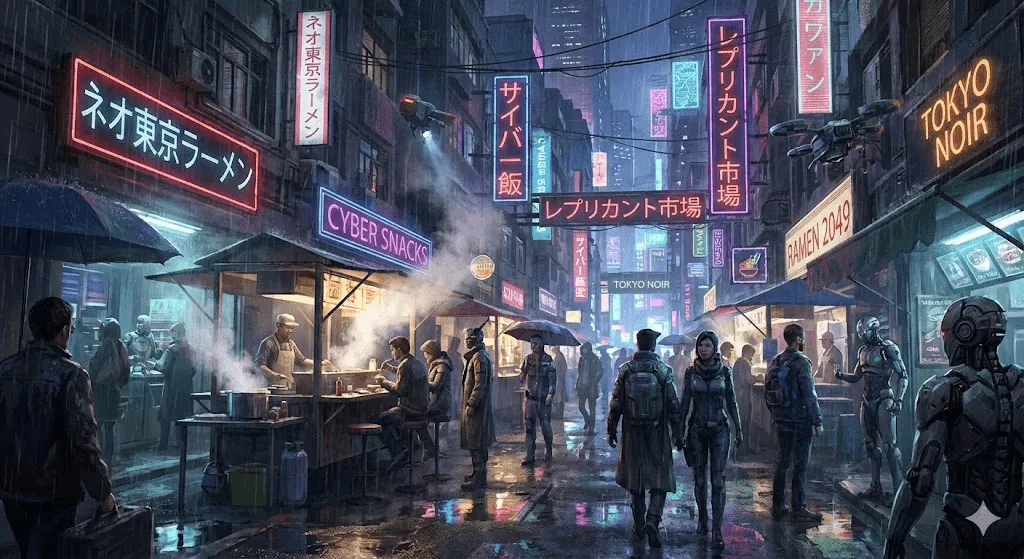
ChatGPT result: Technically correct. All the elements were present. The composition was logical. But it felt... flat. Like a competent illustration rather than concept art that makes you want to explore that world.
Midjourney result: This is where Midjourney earns its reputation. The light bloom on the wet pavement, the atmospheric haze, the way the neon signs created pools of colored light it felt like a frame from a Blade Runner sequel. The text on signs was gibberish, but for concept art, that barely matters.
Verdict: Midjourney, decisively. For anything where mood and atmosphere matter more than accuracy, it's the better tool.
Scenario 4: Character Design (Creative Freedom vs Prompt Control)
The task: Design a fantasy RPG character a female elven ranger.
Prompt used: "Female elven ranger character design, forest green leather armor with silver accents, long silver hair in a braid, carrying a recurve bow, determined expression, full body shot, character concept art style, white background"
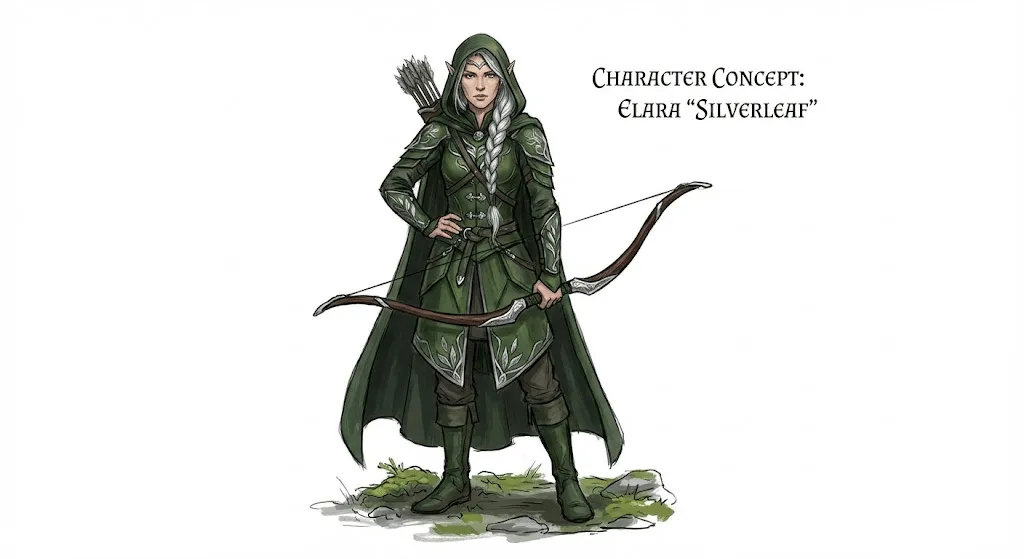
ChatGPT result: Clean, clear character design. The armor details were consistent, the proportions were good, and it delivered exactly what was asked. Hands looked correct (both tools have mostly solved the hand problem in 2025). Usable as a character reference sheet.
Midjourney result: More stylized and visually striking. The leather had better texture, and there was a subtle forest atmosphere even with the white background request. However, it added decorative elements I didn't ask for extra pouches, a cape, ornate bracers.
Verdict: Depends on your workflow. If you need the AI to follow your design brief precisely, ChatGPT is more reliable. If you want creative suggestions and don't mind AI taking liberties, Midjourney often produces more interesting results.
Scenario 5: Architectural Visualization (Client Ready vs Inspirational)
The task: Create an interior design visualization for a modern apartment.
Prompt used: "Modern minimalist apartment living room, floor to ceiling windows with city view, low profile gray sofa, walnut coffee table, indoor plants, afternoon sunlight streaming in, interior design photography style"
ChatGPT result: Accurate to the prompt, good spatial logic, furniture looked realistic and properly scaled. The afternoon light was well handled. An interior designer could use this to communicate a concept to a client.
Midjourney result: More dramatic and magazine worthy. The light rays were more pronounced, the city view through the windows was more atmospheric. But it also added a rug I didn't request and changed the sofa color slightly.
Verdict: For client presentations where you need to show "this is what we're proposing," ChatGPT's accuracy is valuable. For inspiration boards and initial concept exploration, Midjourney's artistic interpretation often sparks better ideas.
Scenario 6: Technical & Educational Illustrations (Usability First)
The task: Create a diagram showing how a heat pump works.
Prompt used: "Technical cross section diagram of a heat pump system, showing indoor unit, outdoor unit, refrigerant flow with arrows, labeled components including compressor, condenser, evaporator, expansion valve, clean educational illustration style"
ChatGPT result: This is where ChatGPT really shines for practical applications. The labels were readable and correctly placed. The flow arrows made sense. The components were accurately represented. Not beautiful, but genuinely useful.
Midjourney result: Created something that looked like it belonged in a stylish architecture magazine gorgeous colors and rendering. But the labels were nonsense, the flow arrows pointed in contradictory directions, and the technical accuracy was poor. Pretty but useless for actual education.
Verdict: ChatGPT, no contest. For any technical or educational content where accuracy matters, it's the only viable option right now.
Scenario 7: Portrait Stylization & Style Transfer
The task: Transform a photo into a Renaissance painting style.
Prompt used: [Uploaded a standard headshot photo] "Transform this photo into a Renaissance oil painting portrait in the style of Dutch Golden Age masters, dramatic lighting, dark background"
ChatGPT result: Impressive transformation. Kept the subject recognizable while applying convincing painterly effects. The lighting adjustment felt natural. Clothing was reimagined in period appropriate style.
Midjourney result: Also did the style transfer, but the face was less recognizable. Midjourney seemed to prioritize the artistic style over preserving the likeness. The painting quality itself was arguably more authentic looking.
Verdict: If preserving the likeness matters (and it usually does for portraits), ChatGPT is safer. If you want maximum artistic effect and don't mind some drift from the original, Midjourney can produce more striking results.
Scenario 8: Logo Design & Brand Concepts (Readable Text Required)
The task: Generate logo concepts for a coffee brand called "Morning Ritual."
Prompt used: "Logo design for coffee brand called 'Morning Ritual', minimalist style, coffee cup icon integrated with sunrise symbol, text must be clearly readable, vector style clean lines, professional brand identity"
ChatGPT result: Delivered several usable concepts with correctly spelled text. Clean, professional, ready to hand to a designer for refinement. Not groundbreaking creativity, but solid starting points.
Midjourney result: More creative visual concepts one integrated steam from the cup into sun rays in a clever way. But "Morning Ritual" became "Morninq Ritual" in the best version and "Mornig Ritua" in others.
Verdict: For logo work, you need the text right. ChatGPT wins on practicality. That said, I've started using Midjourney for logo concepts (ignoring the text) and then recreating the winner in Illustrator with proper typography.
Pricing Comparison: ChatGPT vs Midjourney Image Generation
Let's talk money, because this matters for most users.
ChatGPT Image Generation Pricing
- Free tier: Limited image generations per day (the limit varies and isn't publicly stated)
- ChatGPT Plus ($20/month): Substantially higher limits, priority access during peak times
- ChatGPT Pro ($200/month): Highest limits, but overkill for most image generation needs
The free tier is genuinely usable for casual experimentation. For regular use, Plus is the practical choice.
Midjourney Pricing Plans Explained
- No free tier (they occasionally run trials, but don't count on it)
- Basic ($10/month): ~200 generations, limited to "relaxed" speed
- Standard ($30/month): ~900 fast generations, unlimited relaxed
- Pro ($60/month): ~1800 fast generations, stealth mode (images not public)
- Mega ($120/month): ~3600 fast generations
The "relaxed" vs "fast" distinction matters. Fast generations take 30 60 seconds. Relaxing can take several minutes during busy periods fine for casual use, frustrating for deadline work.
Cost per Image: Which Is Cheaper in Practice?
For someone generating ~100 images per month:
- ChatGPT Plus: $20/month = ~$0.20 per image
- Midjourney Basic: $10/month = ~$0.05 per image (if you stay under 200)
- Midjourney Standard: $30/month = ~$0.30 per image
If you're only doing occasional image generation, Midjourney Basic is cheaper. If you also use ChatGPT for other tasks (writing, coding, analysis), the Plus subscription is better value overall.
Text Rendering in AI Images: Why ChatGPT Has a Practical Advantage
I keep coming back to text rendering because it's the single biggest practical difference between these tools.
ChatGPT with GPT-4o can reliably render:
- Brand names and product labels
- Short headlines and taglines
- Simple UI elements
- Signage and environmental text
Midjourney V7 still struggles with:
- Any text longer than 2 3 words
- Consistent spelling across the same image
- Text that needs to be readable at small sizes
This isn't a minor issue. For commercial work marketing materials, product mockups, social media content readable text is often non negotiable. Until Midjourney solves this (and they've been working on it), ChatGPT has a significant practical advantage for business users.
Workflow Integration: Using ChatGPT and Midjourney in Real Projects
Beyond image quality, consider how these tools fit into your current workflow.
ChatGPT Advantages
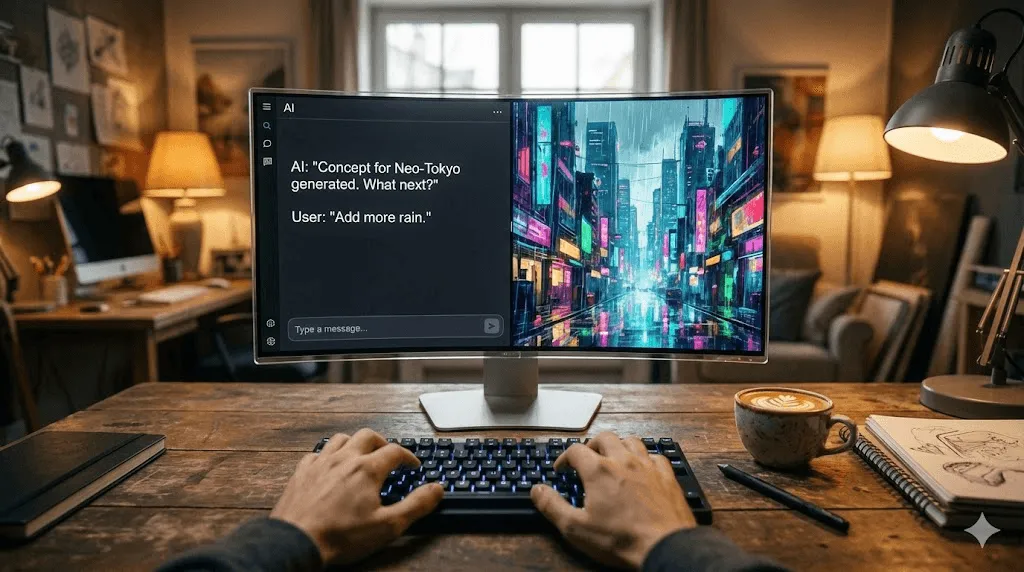
Conversation based editing: You can say "make the background darker" or "add a person on the left" and it modifies the existing image. With Midjourney, you're mostly regenerating from scratch or using specific variation tools.
Multi modal context: Upload a sketch, describe what you want, and reference a style image all in one conversation. ChatGPT maintains context across the entire thread.
Integrated with other tasks: In the same conversation, you can generate an image, write accompanying copy, analyze competitors, and plan your content calendar. The integration is genuinely useful.
Midjourney Advantages
Batch generation: Every prompt creates four variations. You pick your favorite and can create more variations from it. For exploration and ideation, this is faster than ChatGPT's one at a time approach.
Precise parameter control: Aspect ratios, style weights, chaos levels, weird settings Midjourney lets you fine tune the generation process in ways ChatGPT doesn't expose.
Community and inspiration: The public gallery and Discord community provide constant inspiration. You can see others' prompts and learn techniques. ChatGPT's image generation is more isolated.
Personalization: After the initial training on image pairs, Midjourney outputs align with your preferences automatically. This saves significant time if you have a consistent aesthetic.
Common Mistakes When Using ChatGPT or Midjourney for Images
After extensive use of both tools, here are pitfalls I've seen (and made myself):
With ChatGPT:
- Don't expect artistic magic from simple prompts it tends toward "correct but boring" unless you push it
- Don't rely on it for styles it wasn't trained on (very niche artistic movements, specific artist styles)
- Don't assume one generation is enough . It's good, but not perfect first try
With Midjourney:
- Don't include text you actually need to be readable
- Don't skip personalization training . It makes a real difference
- Don't ignore the aspect ratio parameter default square crops often ruin good compositions
- Don't forget about the no parameter to exclude unwanted elements
The Hybrid Approach
Here's what actually works in practice: use both.
My current workflow:
- Ideation/exploration: Midjourney for generating lots of variations quickly
- Client facing mockups: ChatGPT for accuracy and text
- Final artistic assets: Midjourney with refined prompts based on earlier exploration
- Image editing/modification: ChatGPT for its conversational editing capability
This isn't about being indecisive, it's about using each tool for what it's genuinely better at.
Frequently Asked Questions
Is Midjourney worth it in 2026?
Yes, if you prioritize artistic quality and don't need reliable text. For concept artists, illustrators, and anyone creating mood driven content, it's still the best option. If most of your work involves text or requires precise prompt following, you can skip it.
Can ChatGPT replace Midjourney?
For some users, yes. If you mainly need quick social media graphics, product mockups, or educational illustrations, ChatGPT does everything you need. For artistic work where atmosphere and style matter most, Midjourney remains superior.
Which is better for beginners?
ChatGPT, easily. No learning curve, no parameters to memorize, no Discord to navigate. You just describe what you want in plain English. Midjourney rewards expertise but requires more upfront investment to use well.
What about Stable Diffusion, DALL E, or other alternatives?
Stable Diffusion is powerful but requires technical setup or using third party interfaces. DALL·E 3 is now essentially part of ChatGPT. Other tools like Ideogram (excellent for text) and Leonardo (good for game assets) have specific strengths but less general capability than ChatGPT or Midjourney.
Can I use these images commercially?
ChatGPT: Yes, you own the images you generate for commercial use. Midjourney: Yes, on paid plans. Images are public by default unless you have Pro/Mega in stealth mode.
Always check current terms of service . These policies can change.
Which generates images faster?
ChatGPT is slower per image (often 30 60 seconds) but you're usually done in fewer attempts because it follows prompts more accurately. Midjourney's fast mode is quick, but you often need more generations to get what you want. Net time is similar for most tasks.
Final Verdict: Midjourney vs ChatGPT for Image Generation
Stop asking "which is better" and start asking "which is better for what I'm trying to do."
Choose ChatGPT if:
- You need text in your images
- Accuracy matters more than artistry
- You want quick iterations through conversation
- You're already paying for ChatGPT Plus
- You're a beginner
Choose Midjourney if:
- Visual impact is your priority
- You're creating art, not assets
- You want fine control over style
- You're willing to invest time learning the tool
- Text isn't required in your outputs
Choose both if:
- You do varied creative work
- Budget allows $30 50/month total
- You want the best tool for each situation
The AI image generation landscape will keep evolving. What matters is understanding these tools well enough to use them effectively and being willing to switch when one serves your current project better than the other.