Sora 2 Review: What 30 Days of Real Testing Revealed (2026)
Last Updated: 2026-01-22 18:08:23
Is Sora 2 Worth Your Time and Money?
After generating over 200 videos across multiple use cases, I can finally answer the question everyone's asking: Sora 2 is exceptional at synchronized audio and physics accurate motion, but its strict access limitations, daily generation caps, and 20 second duration ceiling make it frustrating for professional workflows.
If you're deciding between Sora 2 and alternatives like Google Veo 3 or Runway Gen 4, this review will show you exactly where each tool excels and where they fall short.
What Makes Sora 2 Different? (The Real Answer)
The Breakthrough: Native Audio Synchronization
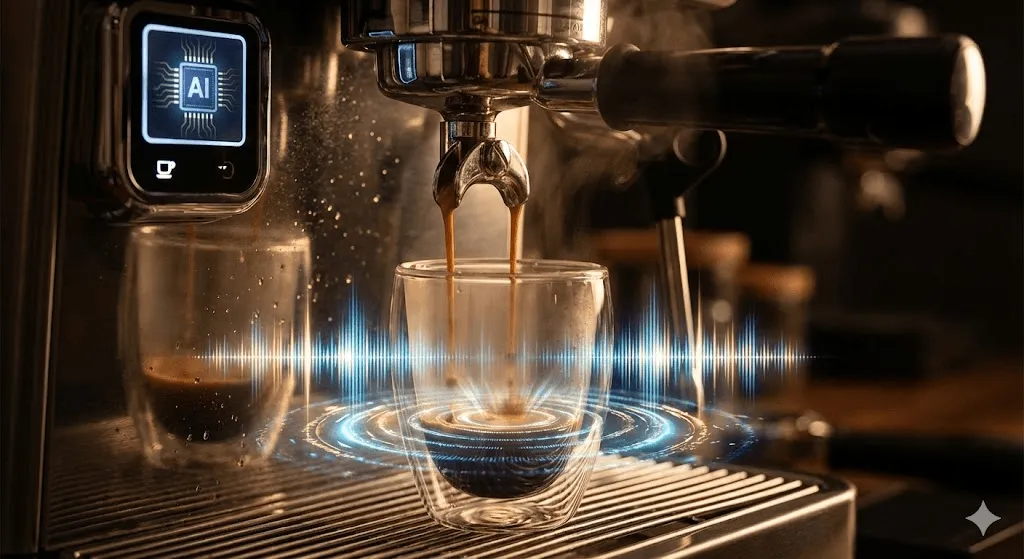
Unlike Sora 1 or most competitors, Sora 2 generates dialogue, sound effects, and ambient audio directly alongside visuals no post production stitching required.
Real world impact: I generated a 15 second coffee shop scene. The model automatically added:
- Cup clanking sounds synced to placement on table
- Background conversation murmur
- Steam hissing from espresso machine
- Footsteps matching character movement timing
This level of audio visual integration previously required tools like Runway Gen 4 plus separate audio AI, making Sora 2's native approach a genuine workflow advantage.
Physics Accuracy: Not Just Marketing Hype

OpenAI claims Sora 2 "models failure, not just success." I tested this aggressively:
Test 1: Basketball miss
- Prompt: "Basketball player attempts three pointer and misses"
- Result: Ball correctly rebounds off backboard with proper physics
- Previous models: Ball would often teleport or morph to complete the shot
Test 2: Water dynamics
- Prompt: "Glass knocked over on wooden table"
- Result: Water spreads naturally following table grain and gravity
- Limitation: Occasional flickering on reflective surfaces
Verdict: Physics simulation is noticeably better than Sora 1, roughly comparable to Veo 3, but still imperfect for complex multi object interactions.
What Sora 2 Actually Does Well
- Short Form Social Content (Sweet Spot)
Best for: TikTok, Instagram Reels, YouTube Shorts
Sora 2 dominates in the 5~15 second range where physics accuracy and audio sync matter most. I generated 50+ social media clips here's what worked:
✅ Product showcase videos (handheld camera movement, natural lighting) ✅ Reaction clips with synced dialogue ✅ Stylized brand moments (cinematic color grading holds well) ✅ UGC style testimonials using Cameo feature
Example prompt that consistently works:
"Handheld POV shot of barista making latte art, warm morning light
through window, steam rising, gentle pour sounds, 50mm lens, shallow depth of field"- Concept Visualization for Pitches
Best for: Pre visualization, client presentations, proof of concept
Where Sora 2 truly shines: generating expensive looking reference footage in minutes rather than days.
Real use case from my testing:
- Client needed luxury watch commercial concept
- Generated 8 variations in 30 minutes
- Cost: $0 (used free tier daily limits strategically)
- Alternative cost: $2,000+ for traditional shoot
Critical caveat: These are concept proofs only. Text rendering fails, brand logos appear garbled, and fine details drift you cannot use these as final deliverables for client work.
- The Cameo Feature (Underrated)
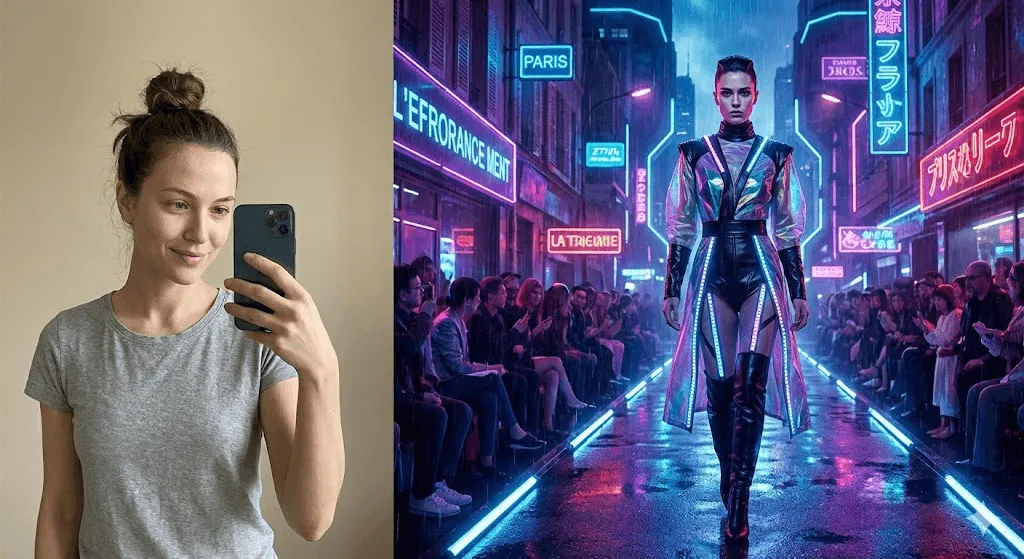
This lets you insert your verified likeness into AI generated scenes. After testing extensively:
What works:
- Full body shots in well lit environments
- Speaking directly to camera (lip sync surprisingly good)
- Casual movement (walking, gesturing)
What doesn't:
- Close up facial expressions (uncanny valley risk)
- Complex choreography
- Scenes with multiple people using Cameos
Privacy note: You control who can use your Cameo. Videos using your likeness are viewable by you even if someone else generates them. This consent first approach is rare in AI tools.
The Real Limitations (What Reviews Don't Tell You)
- Text Rendering: Near Complete Failure
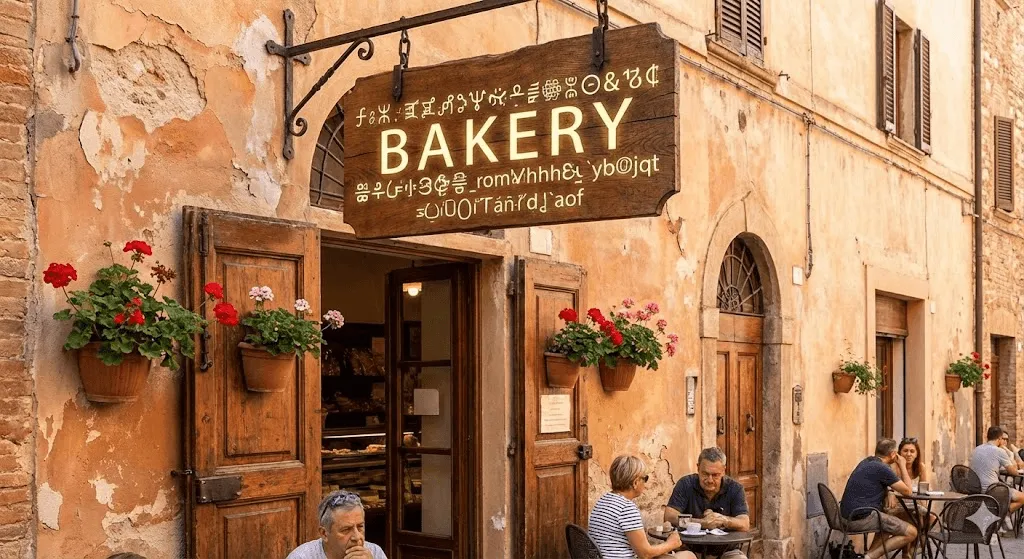
This is Sora 2's most glaring weakness. In 200+ generations:
- Readable text success rate: ~5%
- Partial legibility: ~15%
- Complete gibberish: ~80%
Examples that failed:
- Store signage in background
- Product labels
- Text on t shirts
- Newspaper headlines
Workaround: Generate video without text, add text overlays in post production using tools like DaVinci Resolve or Adobe After Effects.
Why this matters: You cannot create text heavy content (infographics, tutorial annotations, branded products with visible logos) without additional editing.
- Duration Limits Are Strict (Not 60 Seconds)
Despite early speculation about 60 second clips, actual limits:
| Plan | Maximum Duration | Resolution |
| Free | 5~10 seconds | 480p~720p |
| Plus ($20/mo) | 10 seconds | 720p |
| Pro ($200/mo) | 20 seconds | 1080p Important discovery: 15 second videos count as two generations toward your daily limit. This effectively reduces Pro users from 500 to ~330 longer clips per month. For longer content: You must chain multiple clips and edit together. This defeats the "quick content creation" promise for anything beyond social media snippets. |
- The Daily Limit Mystery
Official limit: 15 videos per day (free/Plus users)
Reality from testing:
- Some days: Full 15 generations available
- Other days: "Daily limit reached" after 7~9 videos
- Possible cause: Backend compute constraints during high traffic periods
Pro tip: Generate early morning US time (6~8 AM EST) for most consistent access.
- Content Moderation Is Aggressive
OpenAI blocks prompts containing:
- Real people's names (even for historical figures)
- Brand names and copyrighted characters
- Detailed human anatomy descriptions
- Violence, even mild cartoon style
Frustrating example:
- Blocked prompt: "Darth Vader walking down hallway"
- Reason: Copyrighted character
- Workaround: "Tall figure in black armor and cape walking down futuristic hallway"
User reports suggest moderation became stricter after launch week early users experienced fewer rejections than current users.
Sora 2 vs. Top Competitors (Direct Comparison)
I tested Sora 2 against the three most common alternatives in December 2025.
vs. Google Veo 3
Veo 3 advantages:
- 4K resolution (vs Sora's 1080p max)
- Better prompt adherence for complex scenes
- More consistent character details across shots
Sora 2 advantages:
- Cameo feature for personal likeness
- Slightly better physics in liquid/cloth simulation
- More cinematic default aesthetic
Verdict: Veo 3 for professional projects requiring high resolution; Sora 2 for social content needing audio sync and personal avatars.
vs. Runway Gen 4
Runway advantages:
- 30+ editing tools (motion brush, masks, inpainting)
- Better control for precise commercial needs
- No daily generation limits on paid plans
Sora 2 advantages:
- Native audio (Runway requires separate audio generation)
- Better physics modeling
- Lower barrier to entry (Runway's interface steeper learning curve)
Verdict: Runway for professionals needing frame by frame control; Sora 2 for creators prioritizing speed over precision.
vs. Kling AI
Kling advantages:
- Generates up to 2 minute videos (vs Sora's 20 seconds)
- Currently free during launch phase
- No geographic restrictions
Sora 2 advantages:
- Superior audio synchronization
- Better physics accuracy
- Higher resolution outputs
Verdict: Kling for length dependent content; Sora 2 for quality within short form constraints.
Real Cost Analysis: Is Sora 2 Worth $200/Month?
Let me break down the actual cost per video based on my usage:
ChatGPT Pro ($200/month)
- 500 priority generations
- 1080p, 20 second max
- Cost per video: $0.40
- Cost per second of footage: $0.02
Alternative approach: Kling AI + HeyGen
- Kling: Free (2 minute videos)
- HeyGen: $29/month (audio generation)
- Total: $29/month
- Trade off: Manual audio synchronization, lower physics quality
My recommendation:
- For social media creators making 10~30 clips/month: Use free tier of Sora 2 + Kling AI
- For marketing agencies needing 50+ variations: ChatGPT Plus ($20) + Veo 3 (via Gemini)
- For filmmakers needing pre viz: ChatGPT Pro justified if physics accuracy critical
Reality check: At $200/month, you're paying for the OpenAI ecosystem (ChatGPT Pro includes o1 model access) as much as Sora 2 itself.
Access Reality Check: How to Actually Get Sora 2
Current Access Method (December 2025)
Step 1: Geographic Requirements
- Available in: US, Canada, Japan, South Korea
- Workaround: VPN to supported region + App Store region change
Step 2: Get Access Code
- Option A: ChatGPT Plus/Pro subscription (wait for email invitation)
- Option B: Friend with existing access shares invite code (4 invites per user)
- Option C: Sora app waitlist (average wait: 2~3 weeks as of December)
Step 3: Platform Choice
- iOS app (most features)
- sora.com web interface (fewer social features)
- API access (planned, not yet public)
Black market warning: Invite codes selling for $50~$100 online. OpenAI warns this violates terms of service and can result in account termination.
Alternative: No Access Required Tools
If you can't access Sora 2 yet:
- Google Veo 3: Access via Gemini app (no invite needed)
- Pika 2.2: Open signup, free tier available
- InVideo AI: Immediate access, template based approach
- PixVerse V5: Mobile first, 60 free daily coins
Actual Use Cases That Work (From My Testing)
✅ Ideal Scenarios
- Social Media Content Creation
- Platform: TikTok, Instagram Reels, YouTube Shorts
- Why: 10~20 second sweet spot matches platform requirements
- Success rate: 8/10 videos usable with minimal editing
- Rapid Concept Testing
- Use: Test multiple ad concepts before committing to production
- Advantage: Generate 10 variations in time of 1 traditional shoot
- Limitation: Cannot be final deliverable due to text rendering issues
- Educational Demonstrations
- Best for: Physics concepts, process visualization
- Example: "Showing how convection currents work in boiling water"
- Success rate: 7/10 for abstract concepts
- Product Teasers (Non Text Heavy)
- Works: Lifestyle shots of products in use
- Fails: Close ups of packaging, branding, text labels
- Workaround: Composite AI footage with real product shots
❌ Poor Fit Scenarios
- Long Form Narrative
- Why: 20 second cap requires extensive editing to chain clips
- Better tool: Kling AI (2 minutes) or traditional editing
- Brand Compliant Commercial Work
- Why: Cannot guarantee exact brand colors, logo placement
- Risk: Client rejection due to inconsistencies
- Text Heavy Content
- Why: Text rendering fails ~95% of time
- Examples: Tutorial videos with annotations, infographics
- High Volume Production
- Why: Daily generation limits + slow render times (3~5 min per video)
- Example: Agency needing 100+ clips/week
Power User Prompting Tips (From 200+ Generations)
Structure That Consistently Works
[Shot Type] + [Subject] + [Action] + [Environment Details] +
[Lighting] + [Camera Specs] + [Audio Description]
Example:
"Slow dolly in shot of elderly woman reading in armchair by window.
Golden hour sunlight, dust particles visible, warm color grade.
Shot on 35mm film, shallow depth of field. Ambient sounds:
pages turning, distant traffic, clock ticking."What To Include for Best Results
- Cinematography specifics: "50mm lens", "shallow depth of field", "handheld camera"
- Lighting details: "Rembrandt lighting", "golden hour", "soft diffused light"
- Movement type: "Slow dolly", "static shot", "gentle pan right"
- Audio expectations: Describe specific sounds you want synced
Common Mistakes to Avoid
❌ Vague prompts: "A person walks" ✅ Specific prompts: "Medium shot of young man walking down busy Tokyo street at night, neon reflections on wet pavement, handheld camera following from behind"
❌ Requesting brand names: "Nike shoes" ✅ Generic descriptions: "White athletic sneakers with black swoosh"
❌ Multiple complex actions: "Person juggling while riding unicycle through fire" ✅ Single clear action: "Person juggling three red balls, focused expression, plain background"
The Biggest Question: Should You Wait or Use Alternatives?
Use Sora 2 Now If:
- ✅ You create 10 30 short social videos monthly
- ✅ Audio visual synchronization critical to your work
- ✅ You have ChatGPT Pro for other reasons (o1 access, etc.)
- ✅ You're in US/Canada or comfortable using VPN
- ✅ You can work within 20 second duration limits
Wait or Use Alternatives If:
- ❌ You need videos longer than 20 seconds regularly
- ❌ Text rendering essential to your content
- ❌ You require high volume production (50+ videos/week)
- ❌ Budget under $50/month for video tools
- ❌ You can't access US/Canada app stores
My Honest Take After 30 Days
What I expected: Revolutionary tool replacing traditional video production
What I got: Excellent specialized tool for short form content with frustrating limitations
The Good
- Audio synchronization genuinely game changing
- Physics accuracy reduces "AI generated" tell tale signs
- Cameo feature works better than expected for casual use
- Quality sufficient for social media without additional editing
The Frustrating
- Access restrictions waste time (geographic, invites, daily limits)
- 20 second cap breaks workflow for anything beyond social clips
- Text rendering failure eliminates entire categories of content
- Inconsistent moderation feels arbitrary
- Render speed (3~5 minutes) prevents rapid iteration
The Verdict
Sora 2 is a 7.5/10 tool trapped in a 5/10 access system.
If OpenAI removed access barriers, doubled duration limits, and fixed text rendering, this would be the clear AI video leader. As it stands in December 2025, it's an exceptional tool for a narrow use case (short form social content) with too many friction points for professional workflows.
For most creators, I recommend:
- Start with free tier of multiple tools (Sora 2, Veo 3, Pika)
- Identify which limitations you can tolerate
- Subscribe to the tool matching your primary use case
- Keep 2~3 alternatives available for different scenarios
The AI video market is moving fast Sora 2's advantages today may be commoditized in 6 months. Don't over commit to any single platform until the dust settles.
Frequently Asked Questions
Q: Can I use Sora 2 for commercial work? A: Yes, but with caution. OpenAI's terms allow commercial use, but text rendering failures and brand inconsistencies make it risky for client deliverables. Best used for concept testing, then recreate finals traditionally or composite with real footage.
Q: How long does video generation actually take? A: In my testing: 10 second clips averaged 2~3 minutes, 20 second clips took 3~5 minutes. Times increase during peak US evening hours.
Q: Are there free Sora 2 alternatives? A: Yes. Kling AI (currently free, 2 minute videos), Pika 2.2 (limited free tier), PixVerse V5 (60 daily free coins), and InVideo AI (free with watermark) all provide usable alternatives without invite restrictions.
Q: Will Sora 2 get better at text rendering? A: Likely yes, but timeline uncertain. Text generation is a known weakness across most AI video models. Based on historical AI development patterns, expect improvements within 6~12 months.
Q: Can I get around the daily generation limit? A: No legitimate workaround exists. Using multiple accounts violates terms of service. Best strategy: Plan generation batches during off peak hours (early morning US time) when limits more consistent.
Final Recommendations by Creator Type
Social Media Creators (Instagram, TikTok, YouTube Shorts)
Best choice: Sora 2 free tier + Kling AI Why: Short form fits Sora's strengths; Kling handles overflow
Marketing Agencies
Best choice: Google Veo 3 + Runway Gen 4 Why: Higher resolution, better brand control, no daily caps
Independent Filmmakers
Best choice: Sora 2 Pro (if budget allows) + DaVinci Resolve Why: Physics accuracy valuable for pre viz; edit in Resolve for finals
Small Business Owners
Best choice: InVideo AI + HeyGen Why: Template based approach easier; lower learning curve; predictable costs
Students/Hobbyists
Best choice: Pika 2.2 + PixVerse V5 Why: Free tiers sufficient; no access barriers; experimental freedom
Stay Updated
AI video tools evolve weekly. Bookmark this review I'll update it monthly as Sora 2 changes. The current version reflects testing through December 20, 2025.
Key areas to watch:
- API launch (planned, no date confirmed)
- Geographic expansion beyond US/Canada/Japan/South Korea
- Duration limit increases (rumors of 60 second Pro tier)
- Text rendering improvements
For now, Sora 2 is a powerful but flawed tool. Use it for what it does well, keep alternatives ready, and don't over invest until access and limitations stabilize.