Ideogram AI Review 2026: Is This the Best AI Image Generator for Text Integration?
Last Updated: 2026-01-22 18:08:25
If you've ever tried creating a poster, logo, or social media graphic with AI and ended up with garbled, unreadable text, you know the frustration. After six months of daily use and generating over 3,000 images, I can tell you: Ideogram AI has solved the text rendering problem that plagues virtually every other AI image generator.
But is it the right tool for you? In this comprehensive Ideogram review, I'll break down everything from real world performance to pricing value, comparing it head to head with competitors like Midjourney and Leonardo AI.
Table of Contents
- What Makes Ideogram Different?
- Real World Testing: 7 Use Cases
- Ideogram vs Midjourney: The Definitive Comparison
- Pricing Analysis: Is It Worth It?
- Pros and Cons (The Unfiltered Truth)
- Who Should Use Ideogram?
- Final Verdict
What Makes Ideogram Different?
The Text Rendering Revolution
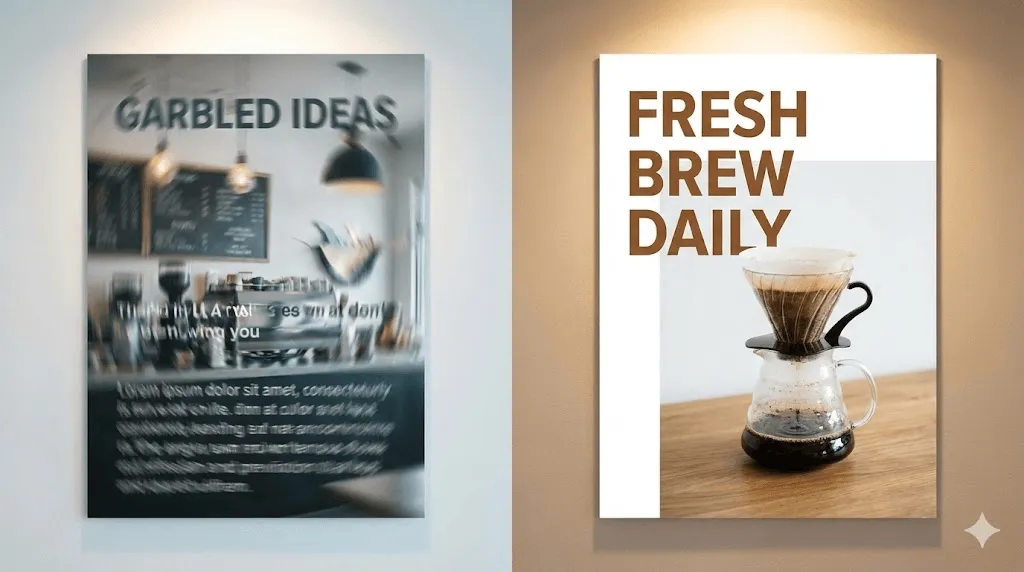
Let me start with what matters most: Ideogram achieves approximately 90% accuracy in text rendering, compared to Midjourney's 30% success rate with short phrases. This isn't marketing hyperbole I've tested both extensively.
Founded in 2022 by four former Google Brain researchers (Mohammad Norouzi, William Chan, Chitwan Saharia, and Jonathan Ho), Ideogram was built specifically to solve the typography challenge that other AI image generators struggle with.
Here's what this means in practice:
Midjourney prompt: "A coffee shop poster with the text 'Fresh Brew Daily'"
- Result: "Frehs Bew Dially" or similar gibberish
Ideogram with same prompt:
- Result: Clean, readable "Fresh Brew Daily" in professional typography
This single capability makes Ideogram the go to choice for:
- Logo design and branding materials
- Social media graphics with text overlays
- Marketing posters and advertisements
- T shirt designs and merchandise
- Event invitations and announcements
Beyond Text: What Else Does Ideogram Offer?
While text rendering is the headline feature, Ideogram 3.0 (released March 2025) brings several other capabilities:
Core Features:
- Magic Prompt: Automatically expands basic prompts into detailed descriptions for better results
- Canvas Editor: Inpainting, outpainting, and layer management for iterative editing
- Batch Generation: Generate up to 500 images from CSV files (Pro/Team plans)
- Style Reference: Use up to 3 reference images to maintain consistent brand aesthetics
- Color Palette Control: Lock specific colors for brand consistency
- Multiple Style Modes: Realistic, Design, 3D, Anime rendering options
- API Access: For developers building automated workflows
Generation Speed:
- Ideogram 2a: ~10 seconds per image
- Ideogram 2a Turbo: ~5 seconds per image
- Midjourney: 30 60 seconds (though V7 Draft Mode has closed this gap)
Real World Testing: 7 Use Cases
I tested Ideogram across seven common professional scenarios. Here's what I found:
1. Logo Design: Excellent ⭐⭐⭐⭐⭐
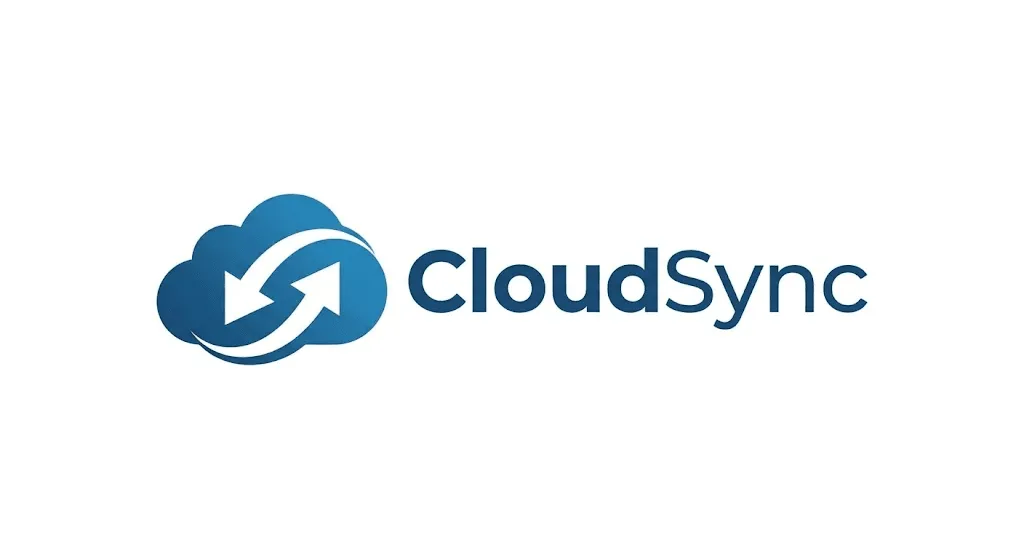
Test: Create a modern tech startup logo with the company name "CloudSync"
Result: Ideogram nailed it on the second attempt. The text was crisp, the design was professional, and I could actually use it for client presentations. Midjourney required 15+ attempts and still produced unreadable text.
Best for: Startups, small businesses, freelance designers doing quick mockups
2. Marketing Posters: Outstanding ⭐⭐⭐⭐⭐
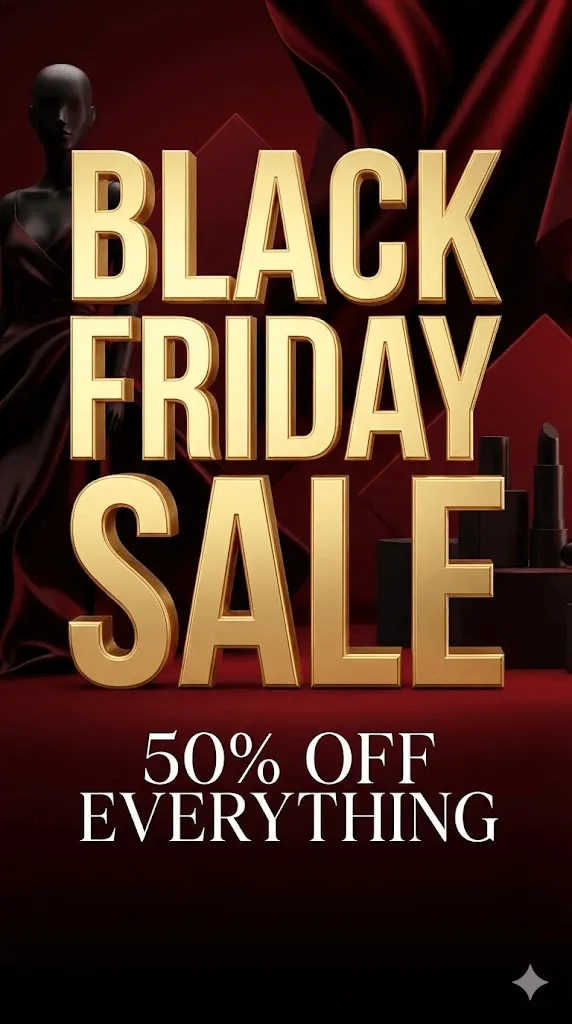
Test: Black Friday sale poster with pricing and promotional text
Result: This is where Ideogram truly shines. Not only was the text perfect, but the Magic Prompt feature helped create a cohesive design that looked professionally composed. The ability to specify color palettes meant I could match brand guidelines exactly.
Limitation: If you need extremely artistic or painterly poster styles, Midjourney might produce more "gallery worthy" results but they won't have readable text.
3. Social Media Graphics: Very Good ⭐⭐⭐⭐
Test: Instagram quote post and Pinterest pin designs
Result: Quick turnaround with the 2a Turbo model. Generated 20 variations in under 2 minutes. Text was consistently legible across all outputs. The Design style mode worked particularly well for clean, modern social media aesthetics.
Pro tip: Use the free plan's 20 daily images for testing, then switch to Basic ($7/month) when you need faster production.
4. Product Photography: Good ⭐⭐⭐⭐
Test: Realistic product shots of cosmetics and electronics
Result: Strong performance for product shots without text. The Realistic mode produced commercially viable images. However, Midjourney's photorealism is slightly more refined better lighting, more natural shadows.
When to use: Quick mockups, e commerce listings, concept validation. For hero images on premium websites, consider Midjourney or professional photography.
5. Character Art & Illustrations: Average ⭐⭐⭐
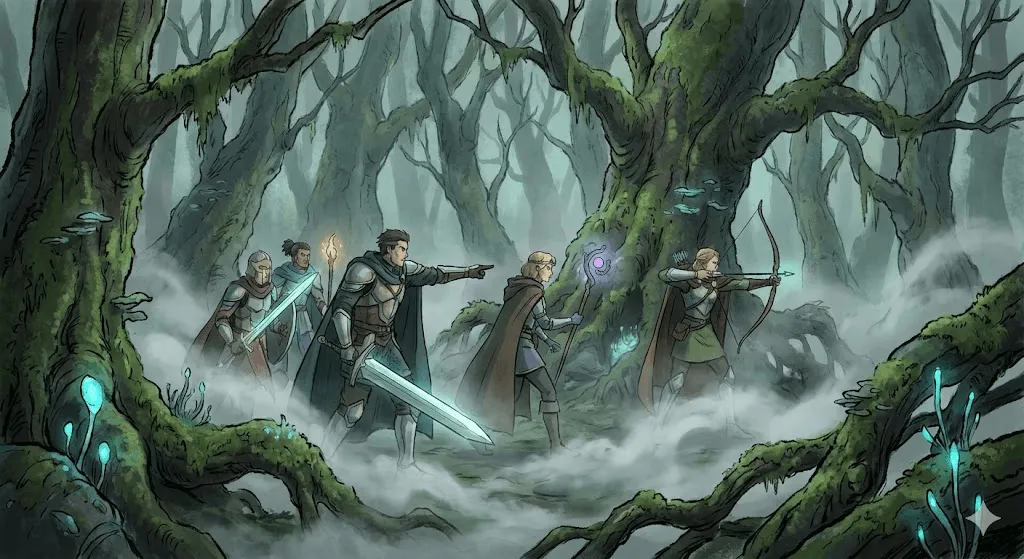
Test: Fantasy character portraits and anime style illustrations
Result: This is where Ideogram shows its limitations. The Anime mode is decent but doesn't match specialized tools like NovelAI or Midjourney's artistic capabilities. Human faces can appear slightly "off" unnatural skin textures and proportions.
Major issue: Multi person scenes often have deformed faces and finger problems. Stick to single subjects or distant crowd shots.
6. Architectural Visualization: Good ⭐⭐⭐⭐
Test: Modern building exteriors and interior design concepts
Result: Clean, professional renders suitable for client presentations. The 3D style mode works well for architectural concepts. However, fine architectural details (like intricate window patterns) can be inconsistent.
7. Text Heavy Infographics: Mixed ⭐⭐⭐
Test: Educational infographic with multiple text sections
Result: While Ideogram handles text well, complex layouts with multiple text blocks in specific positions can be challenging. You'll likely need to use Canvas to position elements precisely, which adds time.
Better approach: Generate background elements in Ideogram, add text overlays in Canva or Figma for complex infographics.
Ideogram vs Midjourney: The Definitive Comparison
This is the question everyone asks. I've used both extensively, and here's the honest breakdown:
Feature Comparison Table
| Feature | Ideogram | Midjourney | Winner |
| Text Rendering | 90% accurate | 30% accurate | Ideogram 🏆 |
| Photorealism | Very Good | Exceptional | Midjourney |
| Artistic Quality | Good | Outstanding | Midjourney |
| Interface | Clean web UI | Discord/Web UI | Ideogram |
| Speed | 5~10 seconds | 30~60 seconds | Ideogram 🏆 |
| Pricing (Entry) | $7/month | $10/month | Ideogram 🏆 |
| Private Generations | $20/month (Plus) | $60/month (Pro) | Ideogram 🏆 |
| Complex Scenes | Average | Excellent | Midjourney |
| Style Control | Good | Exceptional | Midjourney |
| Community | Growing | Massive | Midjourney |
| API | Available | Available | Tie |
| Learning Curve | 30 minutes | 2~3 hours | Ideogram 🏆 |
The Decision Tree
Choose Ideogram if you:
- Need any text in your images (logos, posters, memes, social media)
- Want a straightforward, web based interface
- Have a limited budget ($7~20/month sweet spot)
- Prioritize speed and efficiency
- Are a small business owner or freelancer
- Create marketing materials and brand assets
Choose Midjourney if you:
- Create pure art without text requirements
- Need the highest level of photorealism
- Work on fantasy, sci fi, or highly artistic projects
- Have budget for $30~60/month plans
- Don't mind learning Discord commands
- Value the artistic "wow factor" over practical utility
Choose both if you:
- Are a professional designer with diverse client needs
- Have the budget ($27/month for Ideogram Plus + Midjourney Basic)
- Can leverage Ideogram for text based work and Midjourney for artistic pieces
Real Pricing Comparison
Let's break down actual costs for a freelance designer creating 1,000 images/month:
Ideogram Plus ($20/month):
- 1,000 priority credits = ~1,000 prompts = ~4,000 images
- Unlimited slow credits for additional needs
- Private generations included
- Cost per image: $0.005
Midjourney Standard ($30/month):
- 15 hours fast GPU time = ~1,000 prompts = ~4,000 images
- Cost per image: $0.0075
- Need Pro ($60/month) for private generations
Verdict: Ideogram is 33% cheaper for equivalent output and includes privacy at a lower tier.
Pricing Analysis: Is It Worth It?
Plan Breakdown & Recommendations
Free Plan: Great for Testing
- What you get: 20 slow images/day, community gallery access, 70% quality downloads
- Wait times: 30~45 seconds per generation (acceptable)
- Best for: Hobbyists, students, trying before buying
- Limitation: All images are public (no privacy)
Basic Plan ($7/month): Best Value ⭐
- What you get: 400 priority credits/month (~400 prompts), 100 slow credits/day, PNG downloads, Ideogram Editor
- Generation limit: ~1,600 images/month
- Best for: Bloggers, small business owners, casual creators
- ROI example: Replace 4 hours of design work/month at $50/hour = $200 value for $7 investment
Plus Plan ($20/month): Sweet Spot for Professionals
- What you get: 1,000 priority credits/month, unlimited slow credits, private generations, image uploads, color palette control
- Why it matters: Privacy is essential if you're creating client work or commercial designs
- Best for: Freelance designers, content creators, marketers
- ROI example: One client logo project ($200~500) pays for 10~25 months of subscription
Pro Plan ($60/month): For Power Users
- What you get: 3,000 priority credits/month, bulk CSV generation, all features
- Best for: Agencies, high volume content creators, design teams
- When it makes sense: If you're generating 100+ images daily
Hidden Costs to Consider
Credit Top ups:
- $4 per pack (100~250 credits depending on plan)
- Can buy up to 10 packs/transaction
- Top up credits roll over (monthly plan credits don't)
API Pricing:
- $0.04 per image (2a model) or $0.025 (2a Turbo)
- 6~7x more expensive than web interface credits
- Only use API if you're building automated systems
My Recommendation
For 90% of users: Start with Basic ($7/month) to test thoroughly, then upgrade to Plus ($20/month) if you need privacy or create client work. The Pro plan is overkill unless you're running a design agency.
Cost comparison to alternatives:
- Stock photo subscriptions: $29~99/month for limited downloads
- Freelance designer: $50~150/hour
- Canva Pro: $13/month (but no AI image generation)
- Midjourney Standard: $30/month
Verdict: At $7~20/month, Ideogram offers exceptional value for the capability it provides.
Pros and Cons (The Unfiltered Truth)
After six months of daily use, here's what you need to know:
What Ideogram Does Exceptionally Well ✅
- Text rendering is genuinely revolutionary This alone justifies the subscription for anyone creating text based visuals
- Intuitive interface No Discord commands to memorize. If you can use a search engine, you can use Ideogram
- Speed 5~10 second generation times mean faster iteration and better workflow
- Affordable pricing Significantly cheaper than Midjourney for equivalent output
- Magic Prompt actually works Takes "coffee cup" and turns it into "A steaming ceramic coffee cup on a wooden table, soft morning light streaming through a window, warm tones, shallow depth of field"
- Canvas is solid Not as powerful as Photoshop, but good enough for basic inpainting and extending
- Customer service Multiple reviewers noted responsive, helpful support (surprising for a startup)
- Batch generation CSV upload for 500 prompts is a game changer for high volume needs
Where Ideogram Falls Short ❌
- Photorealism lags behind Midjourney Images are "very good" not "exceptional." You can tell they're AI generated
- Multi person scenes are problematic Faces often deform, fingers get weird, bodies have proportional issues. Stick to 1~2 people max
- Artistic sophistication If you need gallery quality art or cinematic compositions, Midjourney is superior
- Upscaler takes liberties The AI upscaler sometimes adds details you didn't ask for. The "resemblance" slider helps but isn't perfect
- Free plan wait times During peak hours, slow queue can take 2~3 minutes. Frustrating when you're iterating
- Credit system confusion Takes time to understand how many credits different operations cost
- Limited editing compared to Photoshop Canvas is basic. Complex edits still require external tools
- Occasional guardrail frustration Some prompts get rejected as "unsafe" even when they're innocent, wasting credits
The Controversial Take: Text Isn't Everything
While Ideogram's text rendering is industry leading, if your work doesn't require text in images, Midjourney is probably the better choice. Ideogram is a practical design tool, not an artistic medium. Know the difference.
Who Should Use Ideogram?
Perfect For: ⭐⭐⭐⭐⭐
Graphic Designers
- Logo mockups and brand identity exploration
- Client presentation materials
- Quick concept visualization
Marketing Professionals
- Social media graphics with quotes or stats
- Ad creatives with promotional text
- Email header images
- Landing page hero images
Small Business Owners
- DIY branding materials
- Promotional flyers and posters
- Product mockup photography
- Social media content creation
Content Creators
- Pinterest pins with titles
- Blog featured images
- YouTube thumbnails
- Instagram quote posts
E commerce Sellers
- Product mockups (t shirts, mugs, phone cases)
- Listing photos with text overlays
- Promotional graphics
- Brand consistency materials
Good For: ⭐⭐⭐⭐
Web Designers
- Hero section backgrounds
- Website mockup visuals
- Icon and badge design
- UI element creation
Educators
- Presentation visuals
- Educational materials
- Course graphics
- Simplified infographics
Not Ideal For: ⭐⭐
Fine Artists
- Gallery quality art prints
- Highly stylized character illustrations
- Complex fantasy/sci fi scenes
- Museum grade conceptual art
Professional Photographers
- Replacing actual product photography for premium brands
- High end editorial imagery
- Photojournalism simulation
Advanced Tips for Better Results
After generating 3,000+ images, here are my top tricks:
- Use Negative Prompts Strategically
Don't just list what you don't want. Be specific:
- ❌ "no ugly, bad quality"
- ✅ "no distorted faces, no deformed hands, no blurry text, no watermarks"
- Master the Magic Prompt Toggle
- Turn ON for: Artistic concepts where you want AI creativity
- Turn OFF for: Precise requirements where you've already written a detailed prompt
- The Aspect Ratio Trick
- 1:1 (Square): Best for faces and character portraits
- 3:4 (Portrait): Ideal for social media, phone wallpapers
- 16:9 (Landscape): Perfect for website heroes, YouTube thumbnails
- 3:1 (Wide): Great for text heavy banners but can distort faces
- Batch Generation Workflow
For high volume needs:
- Create 10 prompt variations manually
- Export to CSV
- Upload batch (Pro plan)
- Generate 500 images while you sleep
- Cherry pick best results in the morning
- Canvas Mastery
Best use cases for Canvas:
- Removing unwanted elements (Magic Fill)
- Extending backgrounds (Outpainting)
- Swapping specific objects (Inpainting)
- NOT for: Complex multi layer compositions (use Photoshop)
- Color Palette Lock for Branding
If you have brand colors:
- Enable Color Palette in settings
- Input your hex codes
- Generate variations that stay on brand
- Saves hours of manual color correction
Ideogram vs The Competition: Quick Takes
Ideogram vs Leonardo AI
Leonardo AI strengths:
- Better for game assets and concept art
- More style variety
- Good for character creation
Winner: Ideogram for text, Leonardo for fantasy/gaming art
Ideogram vs DALL E 3 (ChatGPT)
DALL E 3 strengths:
- Integrated with ChatGPT workflow
- Good prompt understanding
- Decent text rendering (but still behind Ideogram)
Winner: Ideogram for dedicated image work, DALL E for quick ChatGPT integrations
Ideogram vs Adobe Firefly
Adobe Firefly strengths:
- Integrated with Adobe Creative Suite
- Commercial safety (trained on licensed content)
- Good for Adobe ecosystem users
Winner: Ideogram for standalone use, Firefly if you live in Adobe apps
Ideogram vs Stable Diffusion
Stable Diffusion strengths:
- Free and open source
- Unlimited generations
- Complete control via local installation
Winner: Stable Diffusion for tech savvy users who want free + control, Ideogram for everyone else who values simplicity
Common Questions Answered
Is Ideogram worth it in 2025?
Yes, if you need text in images. At $7~20/month, it's one of the best value propositions in AI tools. The time saved vs. manual design work pays for itself in 1~2 projects.
No, if you never use text and prioritize artistic quality. Stick with Midjourney.
Can I use Ideogram images commercially?
Yes. All paid plans include commercial use rights. Free plan images can also be used commercially, but they're public (anyone can see and use them).
How many images do I actually need per month?
Casual user (blogger, small business): 100~400 images = Basic plan ($7/month) Active creator (freelancer, agency): 500~1,500 images = Plus plan ($20/month) Power user (design agency, high volume): 2,000+ images = Pro plan ($60/month)
Is the free plan enough?
For testing and hobby use, yes. For any professional or client work, no you need private generations.
Why is text rendering so hard for AI?
Text requires understanding:
- Letter shapes (orthography)
- Word spacing (typography)
- Contextual meaning (semantics)
- Visual design (aesthetics)
Most AI models focus on visual patterns, not linguistic structure. Ideogram's training specifically addressed this gap.
The Verdict: Should You Use Ideogram?
Final Rating: ⭐⭐⭐⭐ (4.5/5)
Strengths:
- Revolutionary text rendering
- Excellent value for money
- Fast generation speed
- User friendly interface
- Strong for practical design work
Weaknesses:
- Not as artistic as Midjourney
- Multi person scenes problematic
- Upscaler can be unpredictable
My Recommendation
Start with the free plan. Generate 20 images and test whether Ideogram fits your workflow. If you find yourself waiting in slow queue and wishing for faster results, upgrade to Basic ($7/month).
Upgrade to Plus ($20/month) if:
- You create client work (need privacy)
- You upload reference images regularly
- You need brand color consistency
Skip the Pro plan ($60/month) unless:
- You're a design agency generating 100+ images daily
- You need bulk CSV generation
- You have 5+ team members sharing the account
The Bottom Line
Ideogram has solved a real problem that plagued AI image generation for years. If text is part of your visual content and for most marketers, designers, and business owners, it is Ideogram is the best tool available in 2025.
It's not perfect. It won't replace your entire creative workflow. But for its specific use case, Ideogram is genuinely revolutionary and worth every dollar.
Alternatives to Consider
If Ideogram doesn't fit your needs:
For pure artistry: Midjourney ($10~60/month) For free unlimited: Stable Diffusion (open source) For Adobe users: Adobe Firefly (included with Creative Cloud) For gaming/concept art: Leonardo AI ($10~30/month) For casual use: DALL E 3 via ChatGPT Plus ($20/month)
Take Action
Ready to try Ideogram? Here's what to do next:
- Sign up for free at ideogram.ai (no credit card required)
- Test with these prompts:"A modern logo for a coffee shop called 'Daily Grind', minimalist design""A motivational poster with the text 'Dream Big, Work Hard', inspiring aesthetic""A t shirt design with the text 'Born to Create', artistic typography"
- Evaluate: Does Ideogram solve your text rendering problems?
- Upgrade if needed: Basic ($7/month) is sufficient for most users
Pro tip: Use code... (just kidding, there are no promo codes, but the free plan is genuinely generous for testing).
Disclaimer: This review is based on six months of hands on use and independent testing. I pay for my own Ideogram subscription and am not sponsored by Ideogram AI. Links to Ideogram are for reference only.
Last updated: December 2025 Review version: Ideogram 3.0